If your account is not re-activated within 48 hours of your appeal. It means we have received court order to block your account and it can't be reopened.
We reserve the right to change subscription plans without any prior notice!
We reserve the right to block your account in case we receive a notice from any court (district court to supreme court) of Bharat to block your account!
If any PRAVIDHI LLP employee is compromised and shares the database with any intelligence agency. In that case we reserve the right to upgrade the encryption algorithms without any prior notice or close the messenger for the time being.
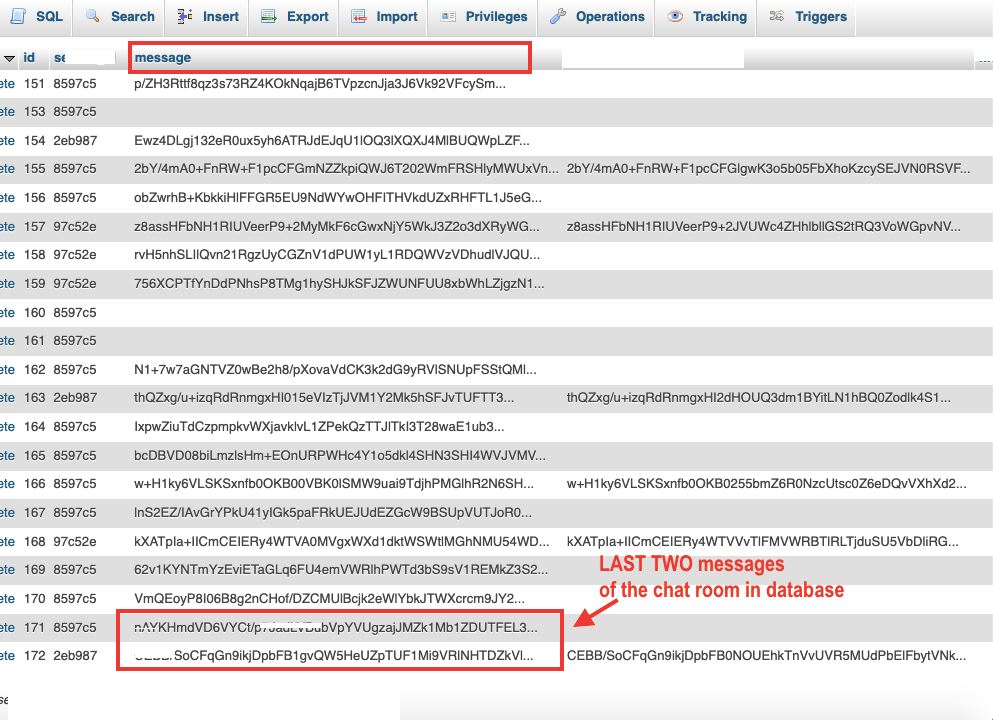
It is our responsibility and we guarantee your every text message is encrypted (in the database) with the highest level of encryption technology (developed by us based on unbreakable AES, RSA kind of algorithms).
By accepting these terms you also accept privacy policies and terms or service.
Pricing:• ₹ 50 / 30 days (International/Domestic debit and credit cards are accepted!)FAQ (Frequently Asked Questions) ?
• This messenger consists of encrypted database. The highest level of custom made encryption algorithms are used to encrypt the database. The algorithms are based on 256 bits - 2048 bits (AES, RSA) algorithms!
×
Frequently Asked Questions
We provide messaging and file sharing via a chat messenger. The messenger is the one and only with encrypted database in the world. It is the only messenger that can protect your messages from espionage.
Click on "Register" below the password field in the Signin form, enter you name, email, password, accept the terms and click "Submit". You'll receive an OTP on your email. Enter the OTP and you are registered.
Click on "Forgot Password" below the password field in the Signin form, enter your email and click "Submit". You'll receive an OTP on your email. Enter the OTP and reset your password.
You can reach our support team via email at product@product-bank.com.
You can't cancel your subscription after payment whether you use or don't use the messenger.
No, there is no auto subscription payment. You have to pay manually once your subscription plan is expired.
We accept UPI, Netbanking, International/Domestic credit and debit cards.
First SignIn with your registered email and password. You'll be redirected to the home page where you can create your contact list and groups. Once you add contacts in your contact list, ask your contacts via email or phone to add you in there contact list on the messenger. After that you can click on the name of any contact or group to start messaging and file sharing.
After SignIn using your registered email and password, go to the profile page from the top menu. At the bottom of the profile page, there is "Auto Signin" option. Click on "On" and stay on the messenger for at least 20 - 30 sec to apply the changes. Now whenever you'll visit the same browser or phone app, you'll be redirected to the home page without any Signin.
Note: On some deveice (mainly mobile) you may have to apply the method more than once!
Auto Signin feature is app or browser dependent. It only works for the same app or browser. If you have turned on the "Auto Signin" in one app or browser. It won't work on another app or browser for the same user. It is to protect the accidental misuse of the messenger account.
Generally messaging companies possess admin panels. And if any employee of the messaging company is compromised then user's messages are compromised.
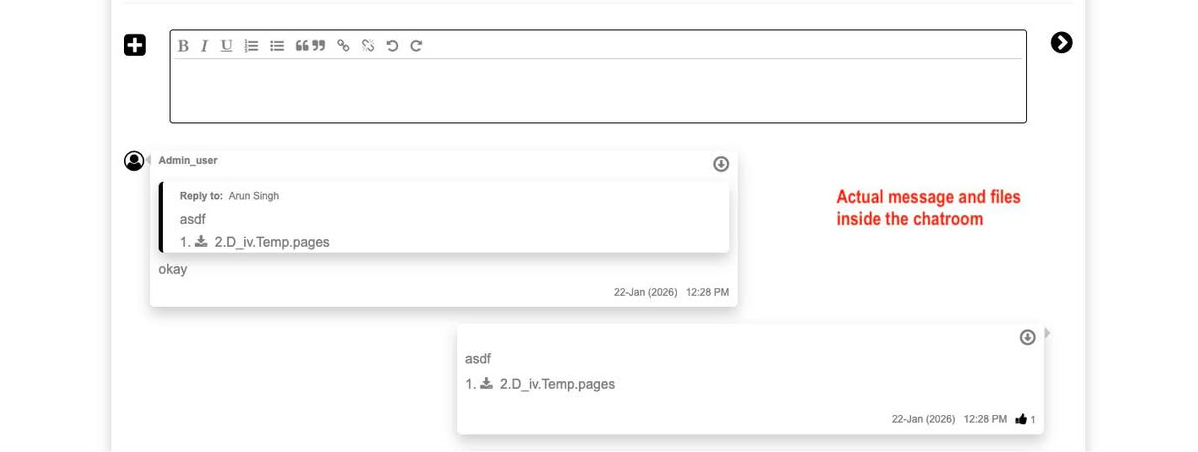
In this messenger, entire database (where messeges are stored) is encrypted (data converted into a secure and unreadable format). So there is no way somebody can decode the encrypted messages. Because messages are encrypted with the highest level of custom made algorithm (based on unbreakable AES, RSA algorithms). There is one more security layer for the database that is only known to the founder of Product-Bank.

 Messenger